
USB Key Transfer
Before you start, make sure that the Job Controller is active and that the selected exchange media is "USB memory stick". see part 3
1. Importing a task
On your PC :
- Upload your task from the platform
- Insert on the key
- Extract the TASKDATA folder from the .zip file, to do so, open the .zip file and move the TASKDATA folder to your USB flash drive.

- You can delete the zip file

- Unplug your USB flash drive
On your console:
- Insert the USB stick into the appropriate port.
- Click on the "Menu" tab at the top right of the console.

- Click on the tab


- Then click on the tab


- Then click on the icon


- The list of tasks present on the USB key will be on the right, to import them into the console, select the task, then click on
 . To import all tasks, click on
  .
.
 . To import all tasks, click on
  .
.
- Click on the button
 and then remove the USB flash drive
 - Click on the button

- Then click on the box next to the icon

 and then remove the USB flash drive


- Select the desired task
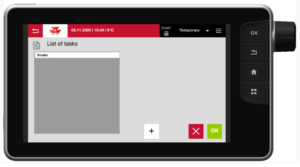
- Then click on

- You will be redirected to this page, check that the information is correct, to modify the information, click on


- Then start the task by clicking on
 (to pause the task, click on
  )
)
 (to pause the task, click on
  )
)
2. Export tasks
- Insert the USB key
- Click on the "Menu" tab at the top right of the console.

- Click on the tab


- Then click on the tab

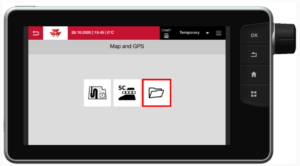
- To stop the task, click on


- Finally, to export to the USB key, click on the icon


- The list of tasks present on the USB key will be on the right, to import them into the console, select the task, then click on
 . To import all tasks, click on
  .
.
 . To import all tasks, click on
  .
.
3. Miscellaneous settings
Manage Task Controller (TC)
- Click on the "Menu" tab at the top right of the console.

- Click on the tab


- Then click on the tab


- Activate or deactivate the TC by clicking on the buttons


Manage exchange media (TaskDoc / USB key)
- Click on the "Menu" tab at the top right of the console.

- Click on the tab
- Then click on the tab
- Click on the tab


- Select the exchange interface (here USB)







