
Preliminary steps before importing on the console :
1 – RDS consoles read a specific file format. Please contact the MyEasyFarm team MyEasyFarm you want to adjust your inputs so they can provide you with files converted to a compatible format.
Once your files are received :
- Unzip the ZIP archive to your desktop.
- Create an " XXX " file on an SD card with a maximum capacity of 2 GB.
- Copy the file extracted from the archive and paste it into the file " XXX".
Below is a sample :

Import to your console :
3 - Insert the SD card into the console
4 - Go to the Info menu
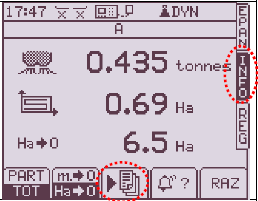
4 - Click on 
5 - Click on 

6 - Select "1. Apply the plan "

7 - Enter farm number and validate 
Enter the field number and validate
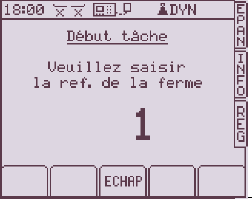
8 - Select the task and validate

9 - Press 

10 - Wait a few moments for the modulation card to load, if the console displays "storage", wait.
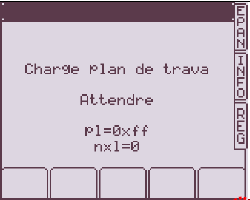
11 - The loading of the task is finished, press " Epan ".

12 - The symbol  indicates that the spread rate is controlled by the modulation card.

Dose modulation is ready
13 - Closing the task :
Go to the "Info" menu, then press  and then on







